Guides
How to Prepare Character References with FLUX 3 Klein
Prepare character references for AI video with FLUX 3 Klein: copyable prompts, a three-shot consistency checklist and the correct Pencil0 upload locations.
 Pencil0
Assign two character voices in Fish Audio Drama 3, copy a four-line scene, fix swapped speakers and check the take before editing your short film.

Pencil0
Author
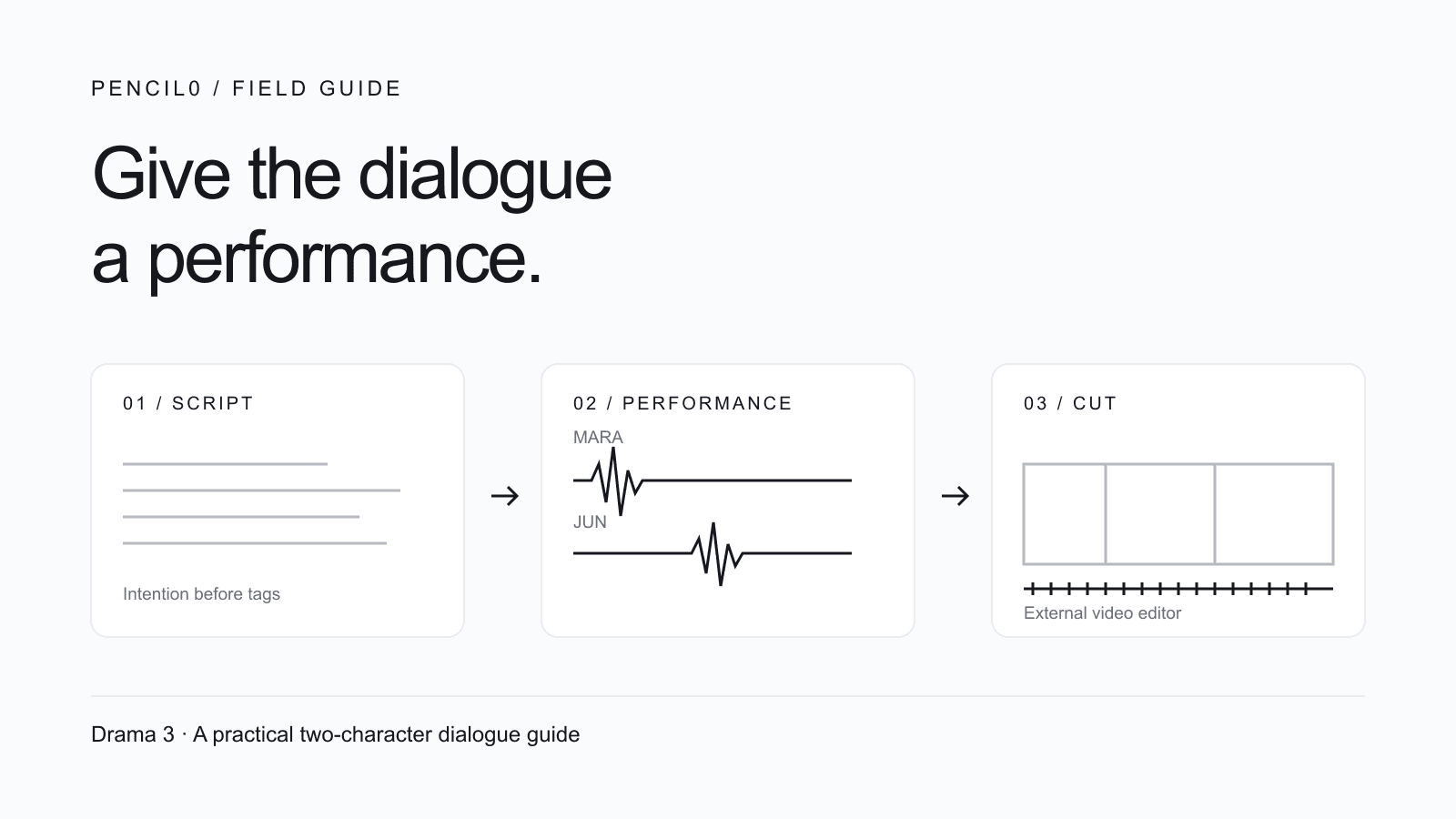
To make text to speech with two voices, assign one voice to each character and keep that assignment unchanged as you revise. Start with one short exchange: check who speaks each line before directing its emotion.
A believable scene needs more than two different voices. One character can be hiding something while the other tries to sound reassuring. The useful question is how to turn that intention into a script you can generate, listen to and revise.
This guide gives you a small scene, a performance brief, a web-editor workflow, an optional API request and a checklist for taking the dialogue into a video edit.
Pencil0 does not currently integrate Fish Audio Drama 3. Generate Drama 3 speech in Fish Audio. Pencil0 can help with the script, character references and shots, but this article does not describe a built-in Drama 3 button or an external-audio import feature. The examples below are original, documentation-based starting points; we have not generated or auditioned their audio and do not present them as a benchmark.
Drama 3 is Fish Audio's text-to-speech model, not a video model. Fish Audio's changelog dates its announcement to October 13, 2026. Its product page currently labels it Preview: takes can vary. Treat the first result as an audition, not the finished soundtrack.
The practical deliverable here is one accepted dialogue scene plus a record of which voice plays each character. It is not a lip-synced film, an isolated track for every actor or a precisely timed performance.
Use this original scene, The Last Train. A station attendant finds a passenger holding a ticket to a station that closed years ago.
| Role | Vocal identity to audition | What the character wants | Change during the scene |
|---|---|---|---|
| Mara, attendant | Measured, clear, conversational | Keep the passenger away from the platform | Routine question becomes concern |
| Jun, passenger | Quieter, restrained, distinct from Mara | Find out whether someone is still waiting | Avoidance becomes a direct request |
The identity column belongs to the voice choice; the intention column belongs to the performance direction. Do not recast Jun just because his last line needs more urgency.
Start with the unmarked dialogue:
Mara: The last train left ten minutes ago.
Jun: Then why is someone still calling my name?
Mara: Which platform?
Jun: The one you boarded from. Twenty years ago.
Keep the setting and camera instructions in a separate shot plan. Putting “wide shot of an empty station” into spoken text risks making it part of the narration.
The Drama 3 guide documents bracketed directions and sounds, plus paired tags that affect selected words. Here is a restrained first pass. Role names are reading labels, not API speaker identifiers.
Mara: [matter-of-fact, finishing a routine shift] The last train left ten minutes ago.
Jun: [quiet, trying not to sound frightened] Then why is someone still calling my name?
Mara: [concern replacing impatience] Which platform?
Jun: [steady, asking her to remember] The one <emphasis>you</emphasis> boarded from. [pause] <whisper>Twenty years ago.</whisper>
Each cue has a job: Mara changes after hearing Jun's question; “you” changes who the accusation points at; the pause delays the reveal. “Scary, cinematic, emotional, dramatic” would give you less specific decisions to evaluate.
For revision, use a three-part note: what to keep → what to change → where. For example: “Keep Jun's restrained tone; make the accusation clearer; change only ‘you’.” This is our editorial method, not a special model command.
Do not begin by stacking crying, shouting and whispering on the same sentence. First check that the actors and words are right. Then change one intention or one phrase and audition again. A bracketed pause is a performance cue, not a promise of an exact number of milliseconds.
Use your own Fish Audio account and check the access and usage allowance shown there.
Mara: and Jun: prefixes above are for the reader; do not add those names as spoken dialogue.The workflow above follows Fish Audio's published editor description; we have not validated the signed-in editor for your account. If the model is unavailable there, check Fish Audio's current access information rather than substituting a different model and calling the result Drama 3.
The TTS API reference maps the first ID in reference_id to <|speaker:0|> and the second to <|speaker:1|>. Keep that mapping unchanged across revisions.
| Character | Position in reference_id | Start each turn with |
|---|---|---|
| Mara | First voice ID | <|speaker:0|> |
| Jun | Second voice ID | <|speaker:1|> |
Save this as scene.json. Replace the two placeholder IDs with voice IDs available to your Fish Audio account: Mara first, Jun second. These placeholders are not usable voice IDs.
{
  "text": "<|speaker:0|>[matter-of-fact, finishing a routine shift] The last train left ten minutes ago.\n<|speaker:1|>[quiet, trying not to sound frightened] Then why is someone still calling my name?\n<|speaker:0|>[concern replacing impatience] Which platform?\n<|speaker:1|>[steady, asking her to remember] The one <emphasis>you</emphasis> boarded from. [pause] <whisper>Twenty years ago.</whisper>",
  "reference_id": ["REPLACE_WITH_MARA_VOICE_ID", "REPLACE_WITH_JUN_VOICE_ID"],
  "format": "mp3"
}
With your API key already set in the FISH_API_KEY environment variable, run:
: "${FISH_API_KEY:?Set FISH_API_KEY locally before running}"
curl --fail --show-error --silent \
  https://api.fish.audio/v1/tts \
  --header "Authorization: Bearer ${FISH_API_KEY}" \
  --header "Content-Type: application/json" \
  --header "model: drama-3" \
  --data-binary @scene.json \
  --output scene.mp3
This makes a billable request against your Fish Audio allowance, not Pencil0 credits. We have checked the example against the documentation but have not sent it. According to the API reference, a missing or unrecognized model header falls back to s2.1-pro; a successful response alone does not establish that you requested Drama 3. For 401, check authentication; for 402, check the account's balance or allowance before retrying.
Keep the original script beside the audio. Listen once without reading, then once while following every word. The first pass tests whether the scene makes sense; the second catches omissions that a plausible performance can hide.
| Check | Acceptance question | If it fails, try this next |
|---|---|---|
| Cast | Can you tell Mara and Jun apart on every turn? | Check speaker assignment and ID order before changing prompts |
| Words | Are all four lines complete, including the final reveal? | Shorten a problematic turn and remove non-spoken stage directions |
| Intention | Does Mara's concern follow Jun's question? | Replace a vague mood with the reason for her change |
| Reveal | Does “you” land without spoiling the last phrase? | Keep the line intact; revise only its emphasis or pause |
| Continuity | Does the chosen take sound like the same cast as adjacent scenes? | Compare against saved voice IDs and the accepted reference take |
| Edit | Is there enough space around reactions and the ending? | Give the cut more room or shorten dialogue before forcing faster delivery |
These are proposed acceptance checks, not reported results. Name takes clearly, for example last-train-en-take-02.mp3, and record script version, voice IDs, model and what changed. Keep both the audio and the exact request for the selected take; rerunning the same text need not reproduce it exactly.
For an English name that keeps being misread, check the English phoneme guide: it uses CMU Arpabet rather than IPA. For Chinese polyphonic characters, use the Chinese guide, which specifies tone-number pinyin, one syllable per phoneme-tag pair. Correct the smallest ambiguous word and audition it inside the full sentence.
Changing the language of a direction is different from forcing the spoken language. Drama 3's language-switching tags are documented as experimental. For a bilingual film, approve each language as its own performance; translating the text does not preserve timing or acting automatically.
Do not lock a four-second close-up before knowing how long its line and reaction need. After approving the audio, mark the actual start and end of each line in your editor, then make a shot plan around those measurements.
| Beat | Suggested image | What to keep in the edit |
|---|---|---|
| Mara's first line | Medium shot behind the ticket counter | Let the routine delivery establish the space |
| Jun's question | Passenger close-up | Preserve the hesitation rather than cutting every silence |
| “Which platform?” | Reaction close-up of Mara | Give her change of intention a visible beat |
| Jun's reveal | Jun, then the empty platform | Leave room for the final words to register |
This is an editorial proposal, not an automatically generated timing sheet. In an external video editor, place the accepted scene audio under the assembled picture. Decide whether it replaces generated dialogue or is only a performance reference; playing two versions of the same spoken line together can create doubled speech. Review lip sync separately. A good voice track does not synchronize visible mouths by itself.
Use the AI short drama workflow to develop a story into episodes, and the AI storyboard workflow to plan the framing and action of each beat. Keep the cast sheet beside the character consistency workflow when reviewing shots.
Pencil0's current character-voice path uses Gemini TTS to create a short voice reference, which supported video requests can reuse. That reference is different from a finished Drama 3 dialogue track, and it does not guarantee identical voices across takes. There is currently no Drama 3 integration in Pencil0, and this guide does not establish a supported path for importing Drama 3 audio. If you want that audio in the final film, assemble it in your external editor. Pencil0 is currently invite-only; the linked product pages explain the available entry path.
Check the voice-ID order and the tag at the start of that turn together. If Jun's ID is first in reference_id, <|speaker:0|> now selects Jun, even if your notes call that role Mara. Fix the mapping before changing the acting directions. Keep reading labels such as Mara: out of the spoken text.
Check that you sent the exact HTTP header model: drama-3. The API documentation says an omitted or unrecognized value falls back to s2.1-pro. HTTP success is not proof that the intended model was selected. Then compare the exact submitted text with your saved script; do not judge a missing tag from memory.
Treat the pause cue as acting direction. Measure the accepted audio in your editor and set shot lengths around the actual line and reaction. This workflow does not provide frame-accurate pauses, separate actor stems or automatic lip sync; review those needs in the edit.
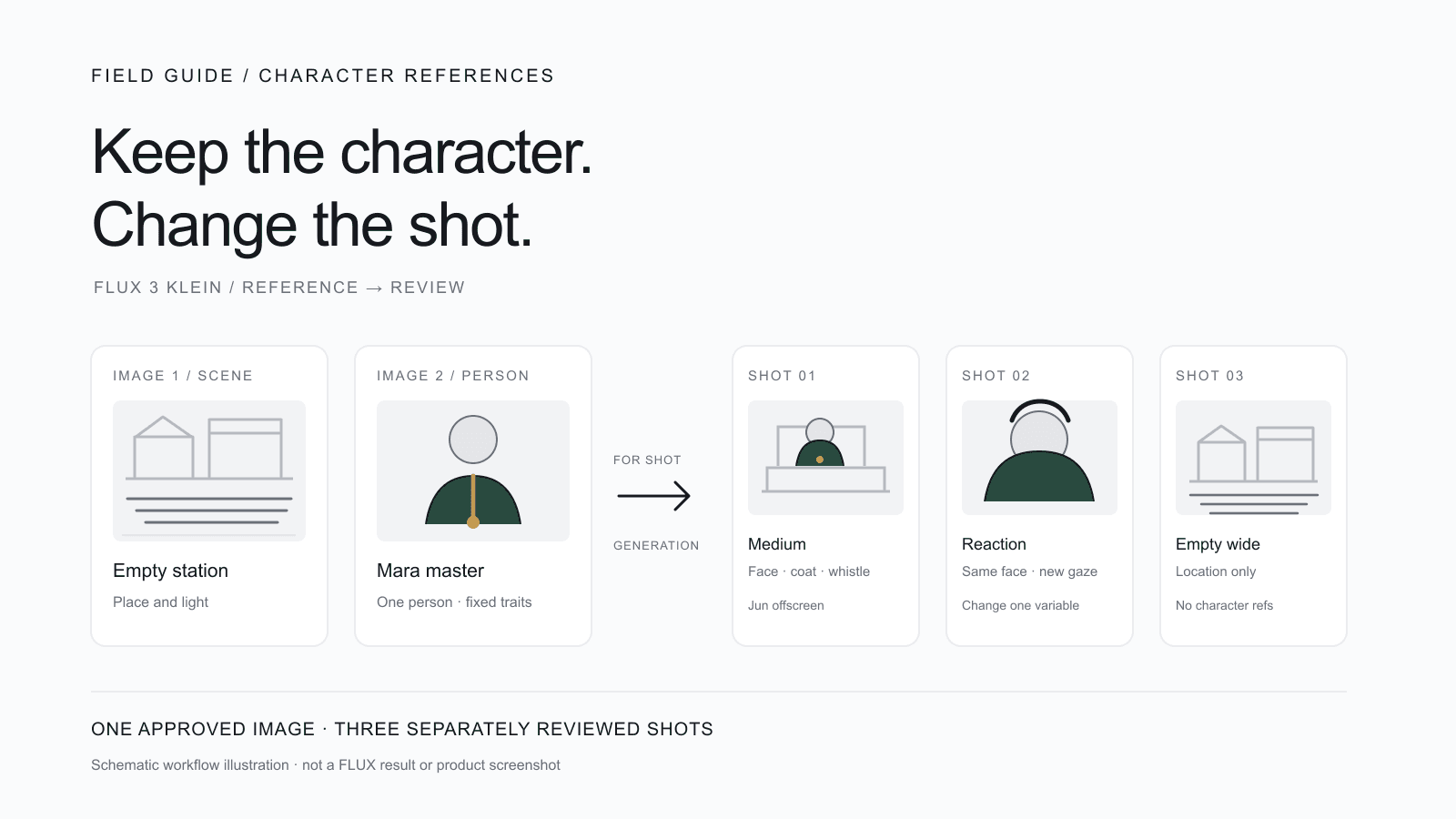
This guide uses an external editor for the final dialogue track. Pencil0's short Gemini character-voice reference is a different input, and this article does not establish finished Drama 3 audio import. For the picture side of the same scene, the character-reference preparation guide provides a fixed identity record and a three-shot visual check.
Sources checked October 15, 2026: release history, Drama 3 product and editor overview, Drama 3 syntax, hosted TTS API, English pronunciation, Chinese pronunciation and voice-reference recording. Scripts, cast sheet, shot plan and listening checklist are original editorial examples, not Fish Audio demonstrations or generated results.
Rechecked October 16, 2026: speaker mapping and the model-header fallback against the official Drama 3 guide and TTS API reference.
Put these ideas to work in Pencil0. Develop your story, prepare character references and storyboards, then generate your film one step at a time.
Join the waitlist