Guides
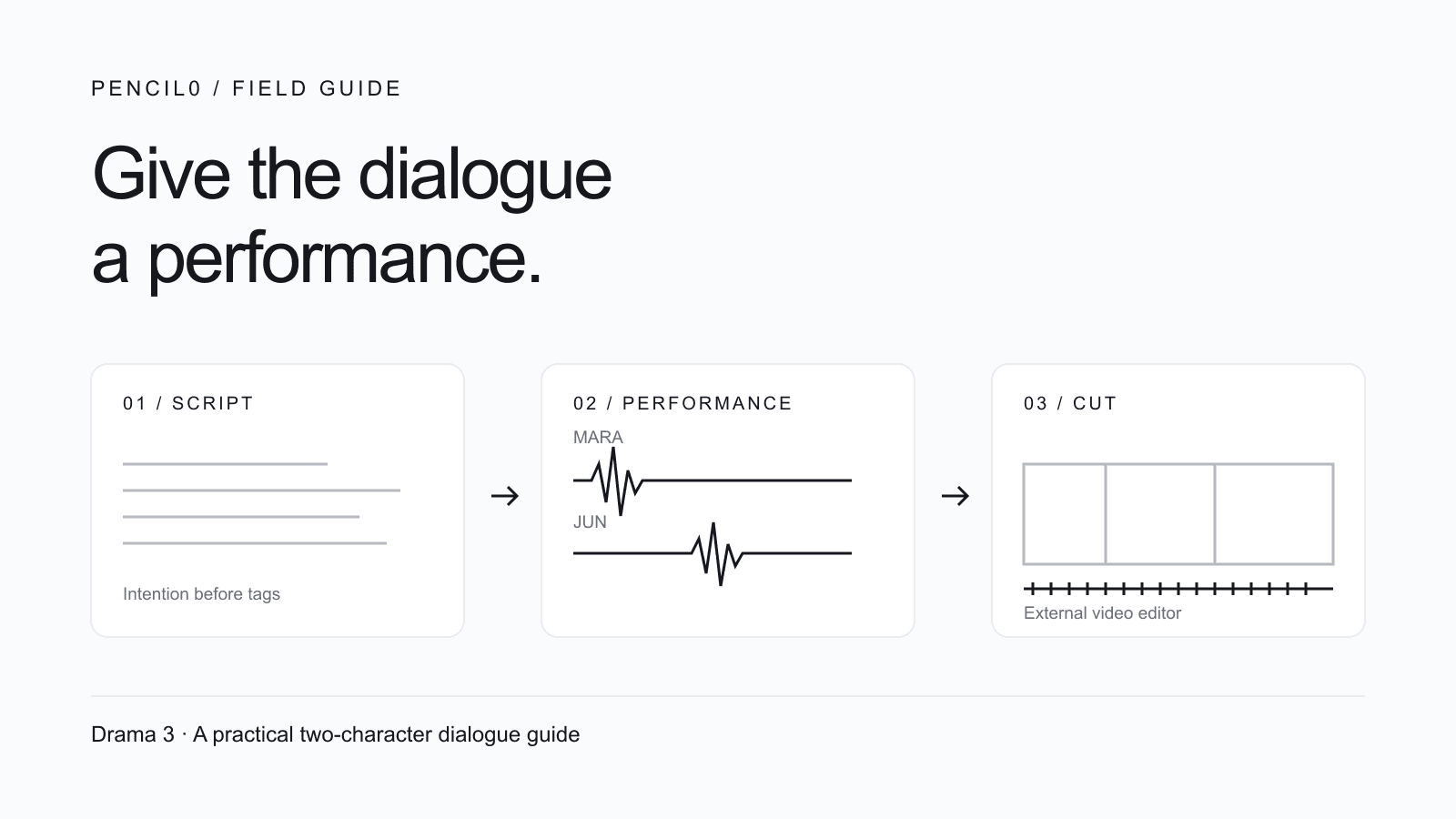
Text to Speech with Two Voices: Fish Audio Drama 3 Guide
Assign two character voices in Fish Audio Drama 3, copy a four-line scene, fix swapped speakers and check the take before editing your short film.
 Pencil0
Prepare character references for AI video with FLUX 3 Klein: copyable prompts, a three-shot consistency checklist and the correct Pencil0 upload locations.

Pencil0
Author
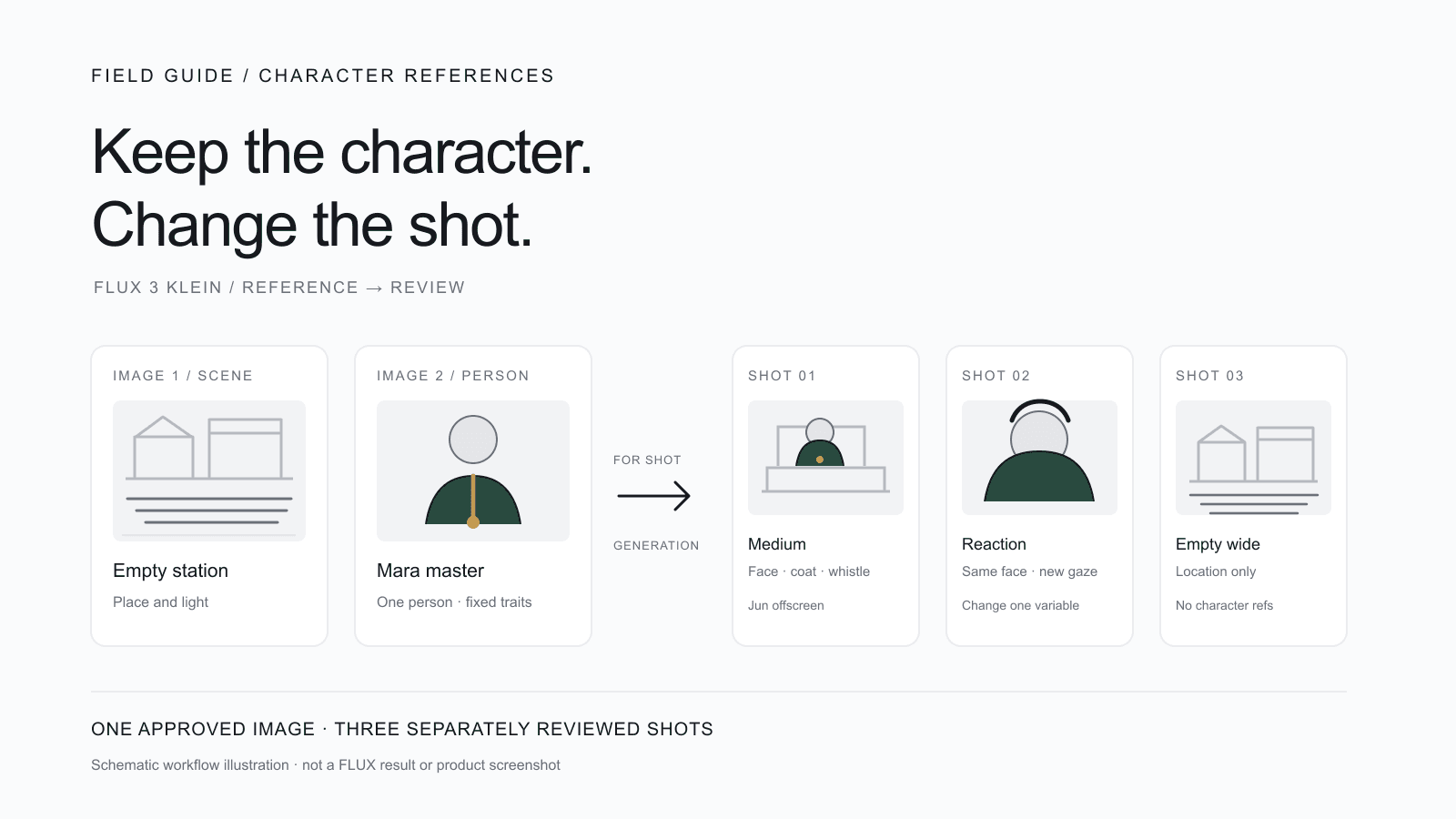
The target deliverable is one approved image of Mara, one compact identity record, and three individually reviewed shots: a medium shot, a reaction close-up, and an empty-station wide shot. FLUX 3 Image Klein is an external image workflow; Pencil0 does not currently integrate this model. You can prepare the image elsewhere and upload the accepted file as a finished character asset.
This guide follows the original The Last Train scene from the Drama 3 dialogue guide. Mara is the night station attendant; Jun is the passenger, but he stays offscreen in these three visuals so two faces do not compete for the same reference. The prompt examples are documentation-based teaching templates: we have not generated or reviewed their image outputs. The cover is a workflow illustration, not a FLUX output or a Pencil0 screenshot.
A character image, a contact sheet, a storyboard panel, and a video first frame solve different problems.
| Item | Use it for | Do not assume |
|---|---|---|
| Character reference image | Carrying the approved appearance of one person into later image requests | It fixes every pose, expression, camera or layout |
| Multi-view contact sheet | Comparing candidate looks side by side by eye | The model or Pencil0 will automatically crop it into separate character images |
| Storyboard panel | Planning a shot's action, composition and progression | It is a clean identity portrait or a spatial layout that every video model will follow |
| First frame / keyframe | Showing one proposed starting image for a shot | Every selected video model or mode consumes it in the same way |
Use a contact sheet as a human review aid if it helps, then choose one clear image as the character master. Keep the final upload to a single approved image. Do not put two actors into one reference card while you are establishing their looks.
For this example, keep four easy-to-check traits fixed:
Pose, gaze, camera distance, expression, lighting and crop may change from shot to shot. Hair length and color, coat color and cut, whistle material and Mara's identity should not drift unless you deliberately revise the master.
Save a short record beside the approved image:
Scene: The Last Train
Character: Mara, night station attendant
Approved master: mara-approved.png
Fixed identity: short dark hair tucked behind left ear; plain dark-green coat;
small brass whistle on dark cord; same face and proportions as master
Allowed per shot: pose, gaze, expression, crop, camera distance, light
Reference roles for composing shots: image1 = empty station; image2 = Mara
Jun: offscreen in this sequence; create a separate reference before showing him
Acceptance: compare face, hair, coat and whistle against the approved master
If you already have an image you are authorized to use, start by reviewing that image. This workflow does not presume that an image of Mara already exists.
First choose an environment image: a quiet, empty regional train station at night. It carries the station's architecture and lighting, not Mara's identity. Then choose or create a single-person character image where Mara's face and coat are visible without text, labels, borders or another character.
In the prompt, assign the roles explicitly and keep their order consistent:
Black Forest Labs' model card documents text-to-image and editing workflows with up to ten reference images. That is a model-level capability, not a reason to fill every slot. Its model card instructs users to include prompt upsampling for local inference and feed the model a complete scene caption; review any expanded prompt to make sure it has not changed Mara's fixed traits. FLUX 3 Image Klein model card
The reference images help anchor visible content, but they do not lock the camera or composition. Describe the shot itself—framing, action, gaze and where Mara stands—in the full prompt. BFL's multi-reference guide recommends assigning each image a clear role and referring to the images in order; the API reference also represents reference images as an ordered array alongside the prompt and aspect ratio. Multi-reference prompting guide · FLUX 3 Klein API reference
In your external tool, select the full model name FLUX 3 Image Klein; FLUX.2 Klein is a different model. Add the images in the stated order and set a 16:9 output. In the API these correspond to images and aspect_ratio; other interfaces may name the controls differently. Each example describes one image, not a sheet of views. If you use a prompt upsampler, check its expanded wording before accepting a result.
Use this only when you need to make a new candidate. Input image1 = station environment; there is no character reference yet. If you already have an authorized Mara image, review it and use it as the master; skip this candidate-generation step.
Use image1 only as the location reference: a quiet regional train station after the last train, empty platform, closed ticket window, muted practical lamps and a dark track beyond. Create one single 16:9 cinematic character portrait of Mara, an adult night station attendant, standing alone near the ticket window. Give her short dark hair tucked behind her left ear, a plain dark-green station coat, and a small brass whistle on a dark cord. Keep her face and upper-body clothing clear and unobstructed, with a calm, alert expression and a natural three-quarter stance. Preserve the subdued night lighting and believable station materials. This is one person in one frame, not a multi-view contact sheet; Jun is not visible. Do not add readable signs, logos or written labels. no subtitles, no captions, no speech bubbles, no title cards, no text overlay.Review the candidate at full size. Select one image only if Mara's face, hair, coat and whistle are all usable together; otherwise revise the candidate before calling it the master.
Input image1 = station environment and image2 = approved Mara master. The single-reference guide's useful pattern is to state the target, the intended change and the details to preserve. Single-reference prompting guide
Use image1 as the station-location reference and image2 as the identity reference for Mara. Create one 16:9 medium shot behind the closed ticket window: Mara leans one hand on the counter and looks toward Jun just outside the frame on her right. Keep the same face and proportions as image2, with short dark hair tucked behind her left ear, the plain dark-green coat and the small brass whistle on its dark cord. Change the camera distance and Mara's pose for this shot; do not redesign her. Keep the regional station empty apart from Mara, with quiet late-night practical lighting. Jun remains offscreen. Make one frame only. no subtitles, no captions, no speech bubbles, no title cards, no text overlay.For this edit, change the first input: image1 = the shot to repair, image2 = the approved Mara master. Do not pass the empty station as image1 here. The shot being edited already contains the location; making it the first input identifies the edit target.
Edit image1, the current shot. Use image2 only as Mara's identity reference. Keep image1's composition and station setting. Make only this correction: Mara's whistle is a small brass whistle on a dark cord. Preserve her face, hair, dark-green coat, pose, camera crop, lighting, station and all other objects. Do not restage the shot or change anything else. Return one 16:9 frame. no subtitles, no captions, no speech bubbles, no title cards, no text overlay.An edit region or bounding box is a guide, not a hard promise that pixels outside it will remain untouched. Inspect the entire result, especially Mara's face and the station details. If a repair changes unrelated features, compare against the original approved master rather than making every new variant from the last imperfect variant.
Use the same accepted character master for the two Mara shots. The third shot is empty, so it needs the station image but no character reference.
| Shot | References and change | Pass check |
|---|---|---|
| 1. Medium behind the ticket window | image1 = station; image2 = Mara. Mara delivers the routine “The last train left ten minutes ago.” | Face, hair, coat and whistle match the identity record; Jun stays offscreen |
| 2. Reaction close-up | Keep the same reference order. Change only camera distance and Mara's concern as she hears Jun's question. | Face shape and hairline still read as Mara; expression changes without changing her identity |
| 3. Empty-platform wide | image1 = station only. No Mara or Jun appears. | Location and late-night light read as the same station; the platform is visibly empty |
Make the sequence as three separate images. A single collage can help you compare them after the fact, but it is not a substitute for separately reviewing each shot.
Pencil0's character, scene and prop asset panel offers Upload final and Reference + AI. Upload final saves the image you already accepted. Reference + AI asks Pencil0's current image model to create a new image; it does not call FLUX 3 Klein. Check that no generation is in progress before replacing an asset, and keep the approved Mara asset to one image.
The Pencil0 reference picker supports up to four references for its current image-generation workflow. When a prop state includes its existing base image, that base occupies one of those slots, so do not transfer FLUX's model-card limit of ten references to the Pencil0 interface. You need a signed-in account and valid access to the project.
A shot can also have one uploaded image in its storyboard panel or one keyframe in its first-frame panel. What the pipeline sends depends on the mode: for a single-camera shot with a keyframe, the keyframe takes priority; without one, the storyboard image is used. Multi-camera mode can send the storyboard together with the opening keyframe. The selected video model still determines what it can consume, so this does not mean every model uses every image. A storyboard or first frame is not a spatial layout. Pencil0's generated black-and-white storyboards use faceless figures to plan composition, so putting a FLUX portrait in a storyboard slot does not lock Mara's appearance. Use the character asset for her intended visual identity.
For storyboard and first-frame uploads, use PNG or JPEG at no more than 4 MB per image. Character assets also accept WebP; storyboard and first-frame selectors accept PNG or JPEG only. Review the project and selected generation mode before choosing a slot.
| Symptom | Likely cause | Next move |
|---|---|---|
| Mara looks like a different person | The new variation became the identity source | Restart from the original approved master and restate the fixed traits |
| Hair, coat or whistle changes | A fixed trait was missing, ambiguous or assigned to the wrong reference | Keep image2 as Mara; repair only the one drifting detail |
| Mara blends with Jun or a second face appears | More than one person is competing for the same image role | Keep Jun offscreen or prepare Jun's own single-person master |
| Framing ignores your expectation | The references were treated as a layout instruction | State one camera distance, one action and one gaze direction in the prompt |
| A local repair alters the rest of the frame | The edit boundary was treated as stronger than it is | Inspect the full image; if it drifts, return to the approved master and re-edit |
It can use references to anchor content, but the model documentation does not promise an identical face, pose or layout for every output. Review each image against the approved master and accept or reject it before moving on.
No. A contact sheet is useful for a person to compare several views. Choose one clean, approved image for the character asset; this workflow does not rely on automatic sheet splitting. Prepare separate images yourself when you need them.
No. An accepted FLUX image can be uploaded as a finished character asset. A storyboard image or first-frame keyframe is a separate slot, and whether it is used depends on the selected video model and mode.
No. FLUX 3 Klein is an external image workflow. Pencil0's “Generate with reference” uses Pencil0's current image model; it is not a native FLUX 3 Klein connection.
For the broader role-reference workflow, see consistent character AI. For shot planning, see the AI storyboard generator and the Drama 3 short-film guide. Pencil0 is currently invite-only; use the product pages to review the available entry path.
For the model's usage terms, follow the license linked from its model card; access to weights and hosted services have their own conditions.
Sources checked October 16, 2026: FLUX 3 Image Klein model card, FLUX 3 Klein API reference, multi-reference prompting and single-reference prompting. The prompts, Mara identity record and shot sequence are original instructional examples.
Put these ideas to work in Pencil0. Develop your story, prepare character references and storyboards, then generate your film one step at a time.
Join the waitlist